
CareAI: Healthcare Assistant
A healthcare assistant app designed to simplify the process of finding and booking providers based on user symptoms. It helps users navigate care decisions with AI-guided recommendations, insurance aware results, and a seamless booking experience.
Role: UX/UI Designer & Researcher.
Duration: 6 weeks.
Tools: Figma, Miro.
Finding care shouldn't start with guesswork.
When symptoms appear, knowing where to seek care isn't always straightforward. Users may need to determine what type of provider they need, find someone who accepts their insurance, compare their options, and figure out how to book an appointment.
I saw an opportunity to connect these decisions into one experience—helping users move from uncertainty about their symptoms to finding and booking appropriate care.
Who CareAI is designed for
This experience is designed for individuals who are seeking medical care but may feel unsure about where to start. These users often rely on quick online searches and want clear, trustworthy guidance to help them make decisions. They value simplicity, speed, and confidence—especially when navigating something as stressful and important as their health.
The Design Challenge
How might we help users move from describing their symptoms to finding and booking the right provider with greater confidence?
Listening Before Solving
I wanted to understand how people navigate healthcare decisions when experiencing unfamiliar or urgent symptoms—what creates uncertainty, how they decide where to seek care, and what information helps them feel confident taking the next step.
To explore this, I conducted user interviews and secondary research.
User Interviews
I interviewed five participants with different experiences navigating healthcare, including people who relied on insurance apps, online searches, and personal judgment when deciding where to seek care.
Three Patterns Kept Coming Up
01 — Users weren't always sure what type of care they needed
Participants often knew something felt wrong, but weren't always sure whether they needed urgent care, a specialist, or another type of provider. They wanted guidance that could help them understand where to start without requiring medical knowledge.
02 — Insurance made finding the right provider harder
Finding an appropriate provider wasn't enough—users also needed confidence that their care would be covered. Insurance uncertainty added another layer of friction and increased concern about unexpected costs.
03 — The journey was fragmented across too many tools
Participants relied on a mix of Google, insurance portals, reviews, and other tools to make a single healthcare decision. Moving between disconnected sources made the process feel more time-consuming and overwhelming.
Competitive Analysis
After the interviews, I looked at the tools participants already relied on, including provider-search platforms, insurance apps, and online search—to understand where the current experience was breaking down.
What existing tools were missing
01 — Search without guidance
Provider platforms help users find doctors, but expect them to already know what type of care to search for.
02 — Coverage without clarity
Insurance tools provide coverage information, but users still have to interpret their options themselves.
03 — AI without a path forward
AI can help interpret symptoms, but often doesn't connect that guidance to an in-network provider and booking.
The Opportunity
CareAI could connect the fragmented healthcare journey—guiding users from symptoms to the right type of care, relevant in-network providers, and booking in one experience.
Synthesizing the Research
I grouped observations from the interviews into recurring themes to identify the needs that had the greatest influence on how users navigate healthcare decisions.
01-Guidance
Knowing what type of care to seek.
02-Trust
Feeling confident in the information guiding their decision.
03-Insurance clarity
Understanding which providers are relevant to their coverage.
04-Less friction
Reducing the number of disconnected steps and tools needed to find care.
These themes helped define what CareAI needed to prioritize: guidance before search, insurance-aware results, trustworthy information, and a more connected path to booking.
User Personas
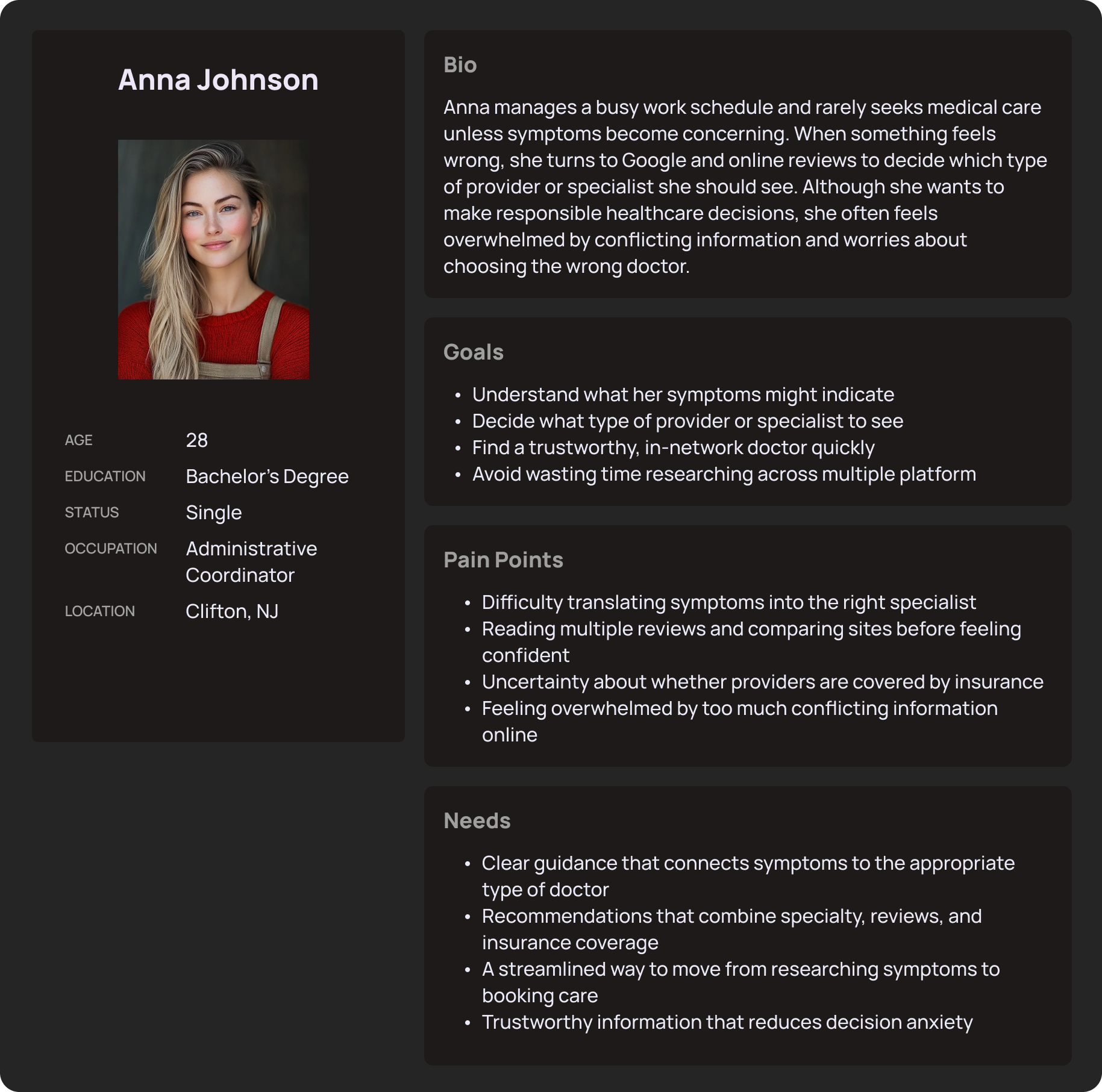
I translated the research themes into two personas representing different needs and behaviors within the CareAI experience.
ANNA — GUIDANCE & REASSURANCE
Her needs reinforced the importance of connecting symptom guidance with clear provider recommendations and insurance-aware results.
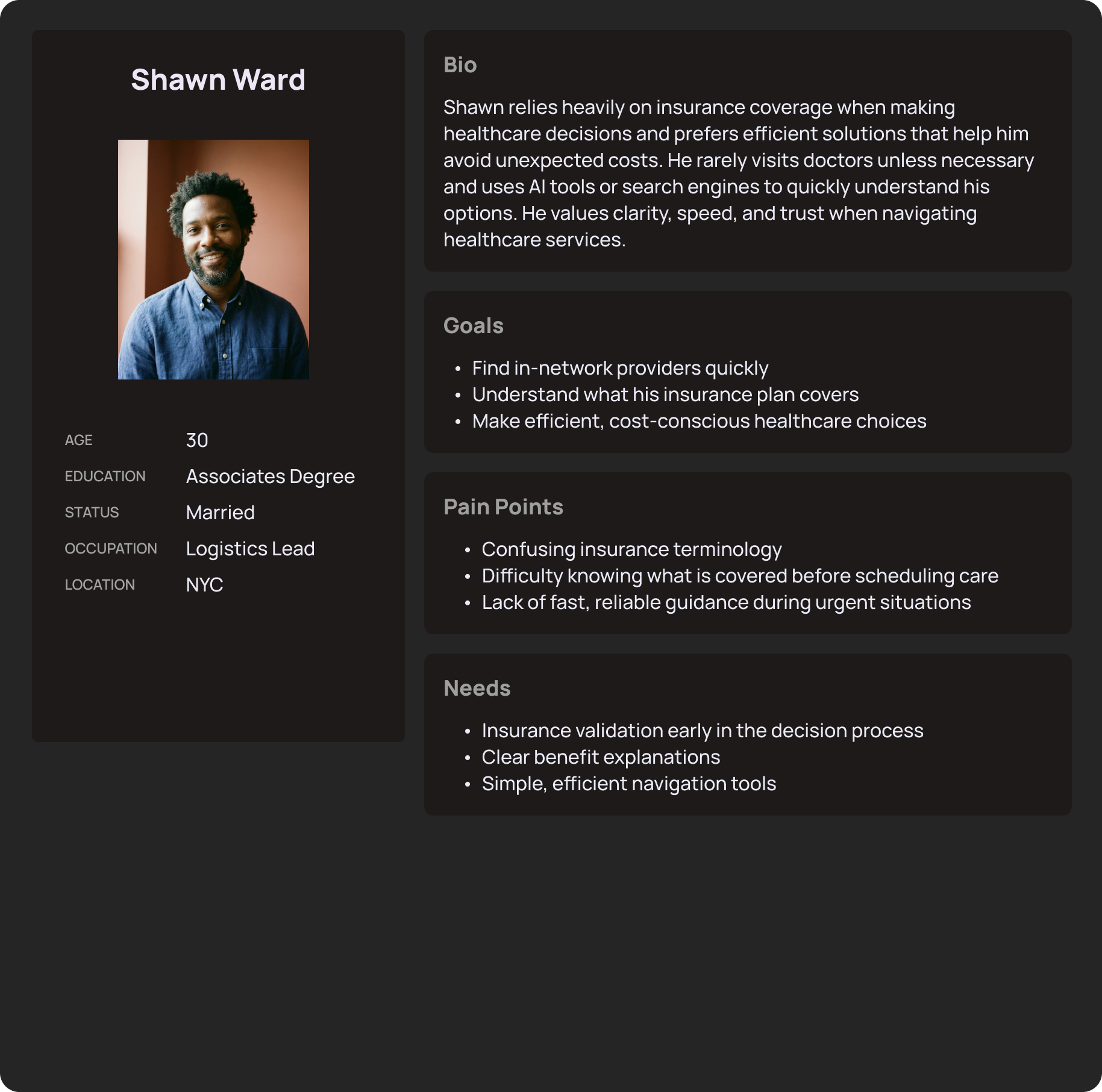
SHAWN — SPEED & INSURANCE CLARITY
His needs reinforced the importance of surfacing insurance compatibility early and creating a direct, efficient path from care guidance to provider selection.
Research showed that users needed guidance before searching, insurance clarity early in the process, and fewer disconnected steps. I translated those priorities into a flow that moves users from describing their symptoms to understanding the recommended type of care, finding relevant in-network providers, and booking an appointment.
Turning Research Into a Clear Path
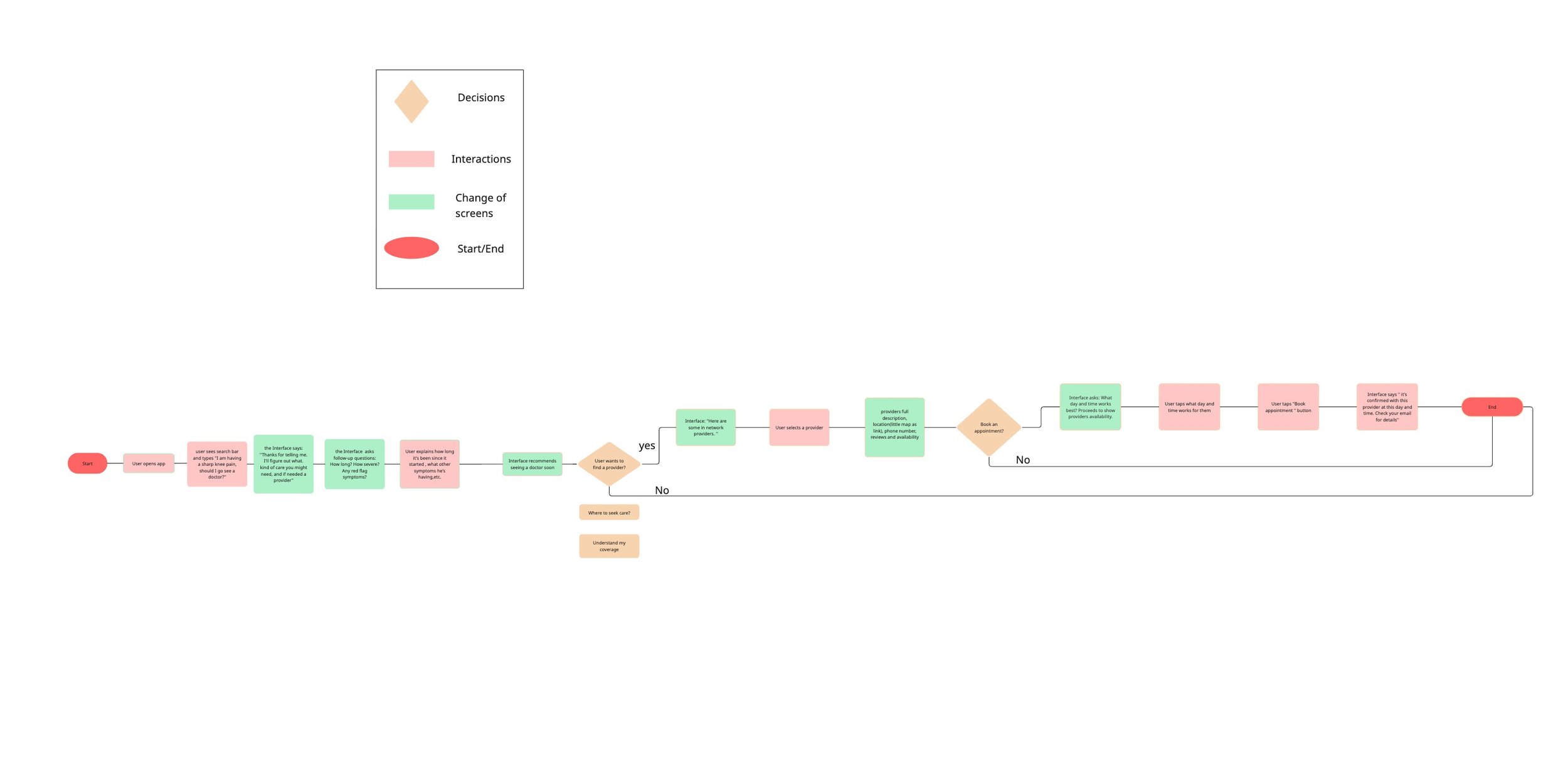
The goal: reduce the number of decisions users have to make on their own before reaching appropriate care.
Exploring the Core Experience
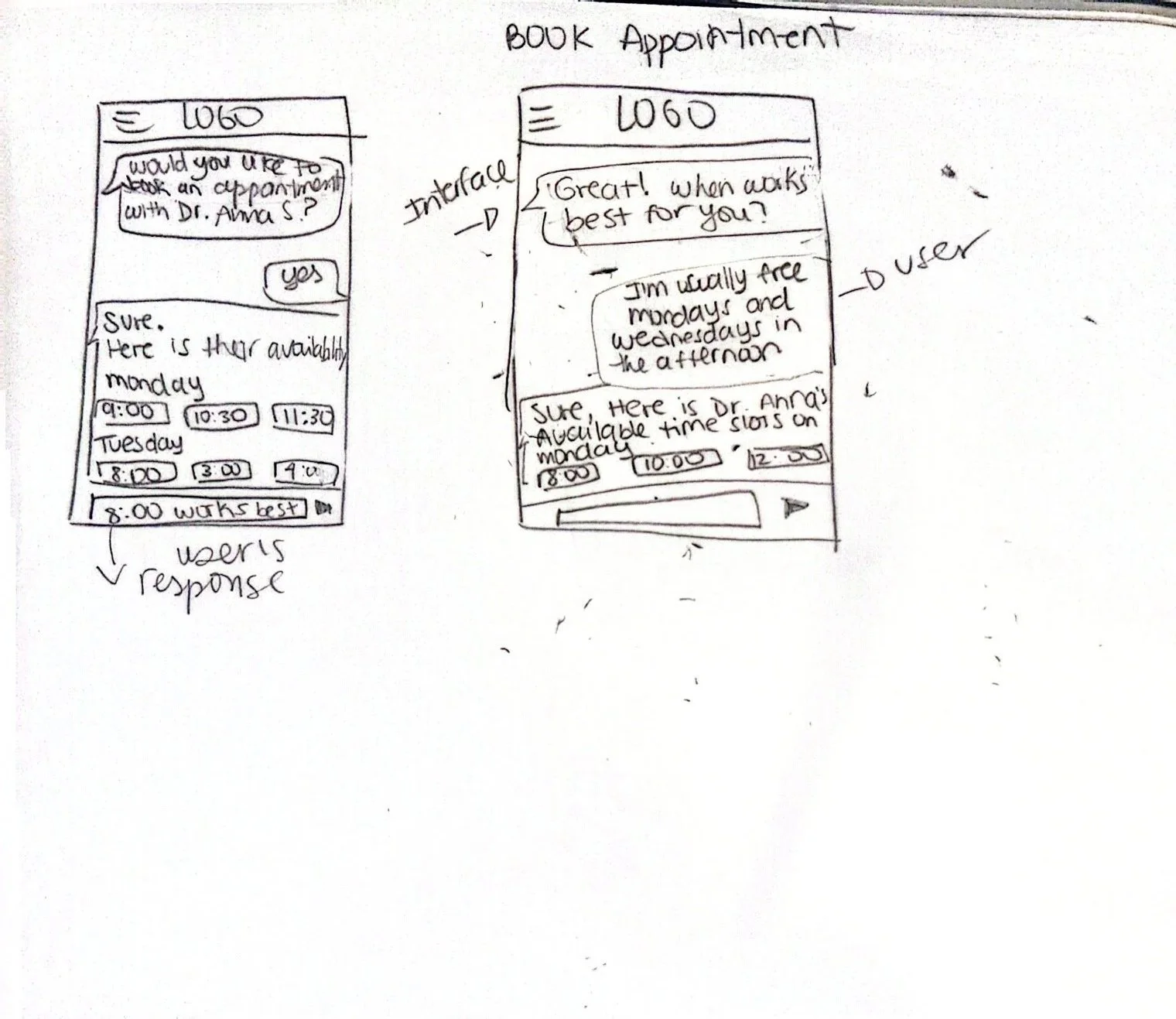
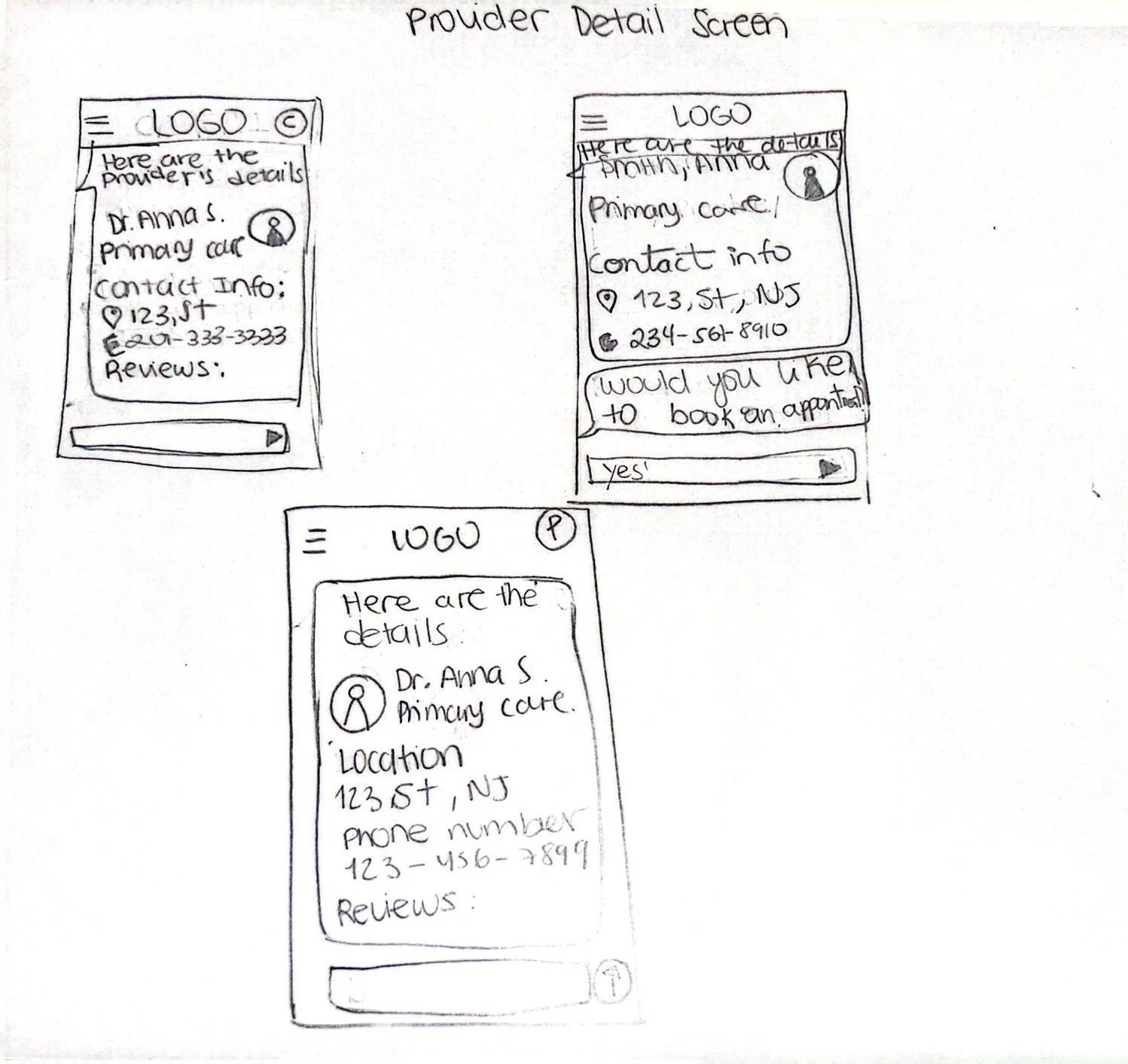
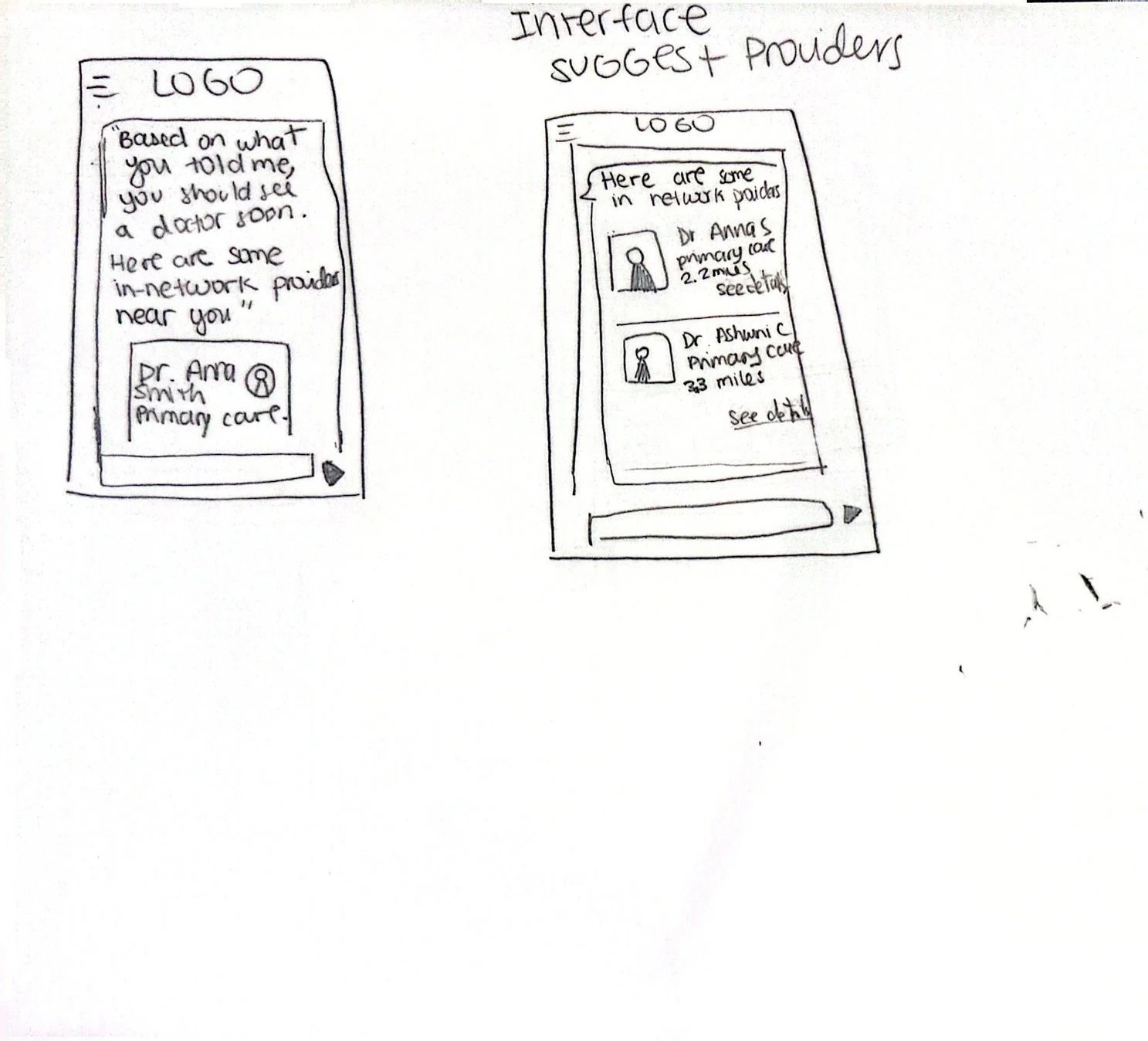
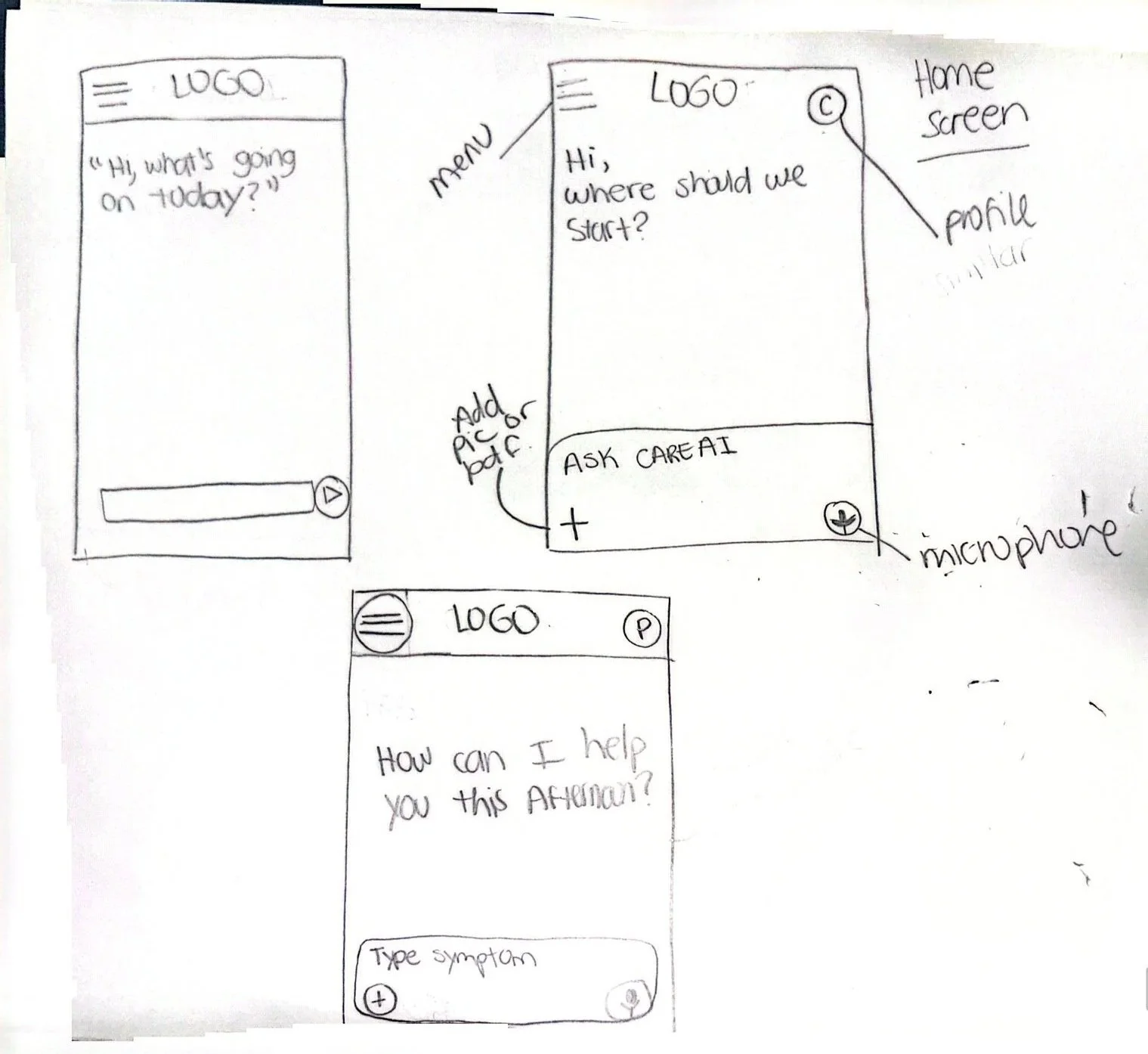
With the core journey defined, I used low-fidelity wireframes to explore how CareAI could guide users through each decision without overwhelming them. I focused on the moments that mattered most: describing symptoms, understanding the recommended type of care, reviewing relevant providers, confirming insurance compatibility, and moving into booking.
Early decisions I explored
Guidance before search
I explored a conversational symptom input so users could begin with what they knew—their symptoms—rather than having to choose a specialist themselves.
Provider recommendations
Rather than showing a generic list of doctors, I explored recommendations that connected providers to the user's care needs.
Booking as part of the journey
I kept appointment booking connected to provider selection to avoid sending users into another disconnected experience.
Defining a Visual Language for Trust
Healthcare decisions can already feel stressful, so I wanted the interface to feel reassuring rather than clinical or overwhelming. I explored visual references around clarity, accessibility, empathy, and trust to establish a direction that could make complex information feel easier to understand and act on.
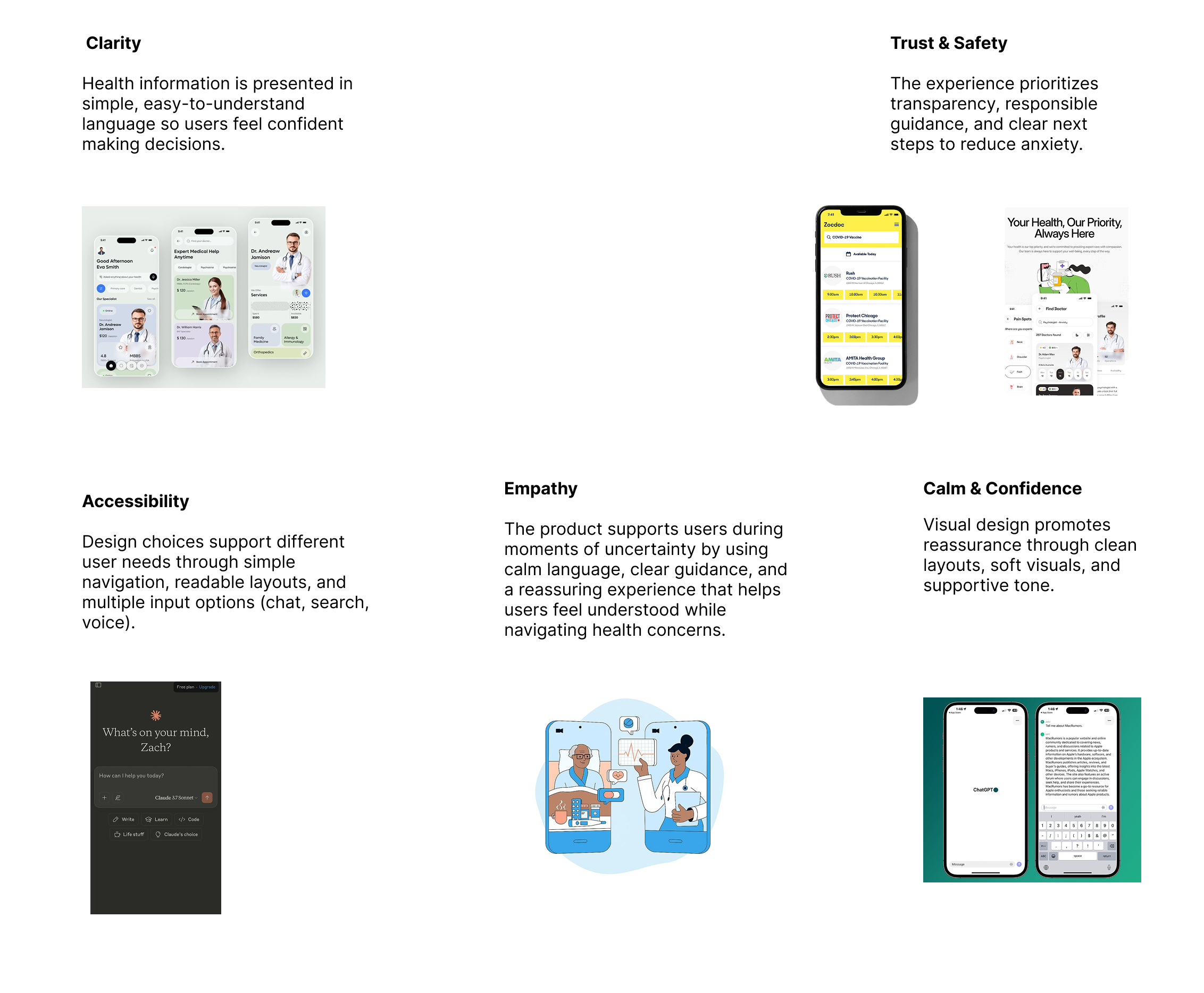
The visual direction prioritized clear hierarchy, approachable language, readable layouts, and a calm aesthetic—giving users enough information to make decisions without making the experience feel more complicated.
Building a Trustworthy Identity
I explored several directions for the CareAI identity, looking for a balance between healthcare credibility and approachable technology. Rather than creating something overly clinical or futuristic, I wanted the brand to feel simple, recognizable, and reassuring.
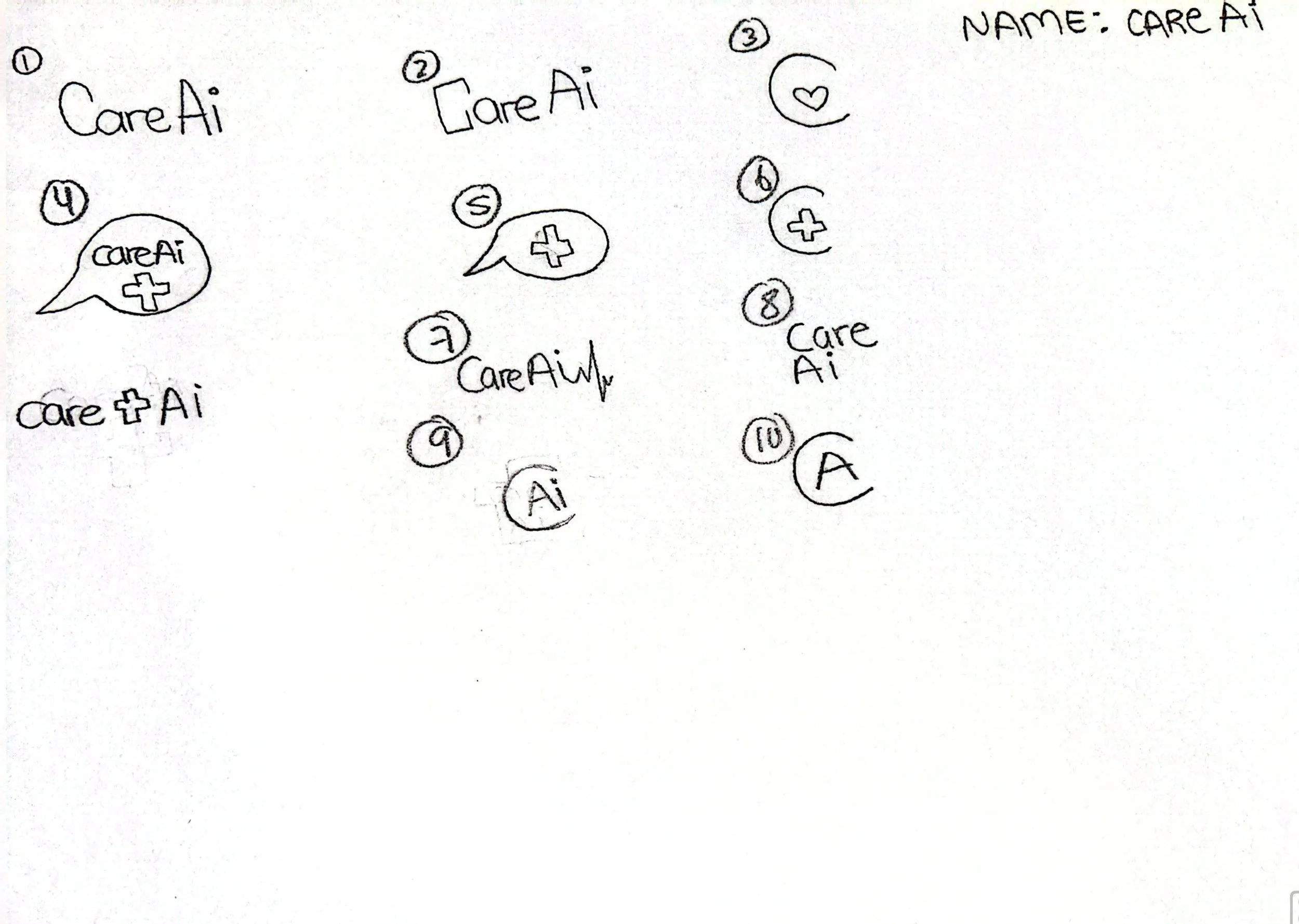
Final direction
I chose the CareAI wordmark with the heartbeat line because it communicates healthcare immediately while keeping the identity simple and approachable. The single-line treatment also supports the calm, human visual direction established for the product.
Mid-Fidelity Wireframes
After exploring the core flow in low fidelity, I moved into mid-fidelity wireframes to refine hierarchy, interactions, and the end-to-end experience. This stage helped me validate the conversational approach and identify where users needed more context, reassurance, and control before moving into high fidelity.
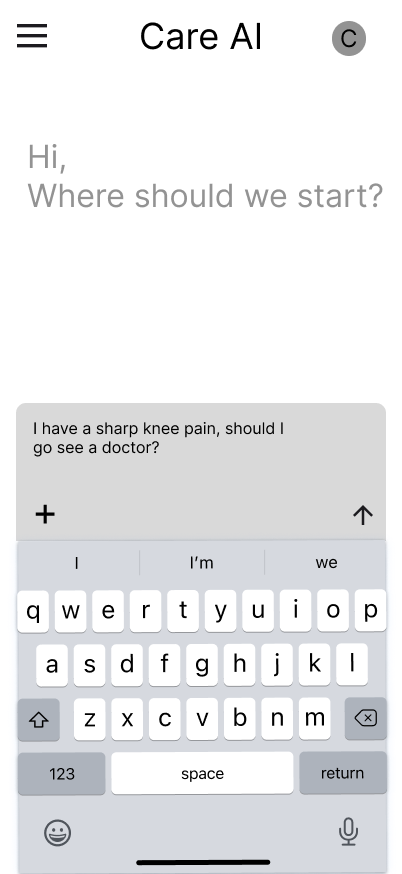
01 — Starting with symptoms
02 — From guidance to a relevant provider
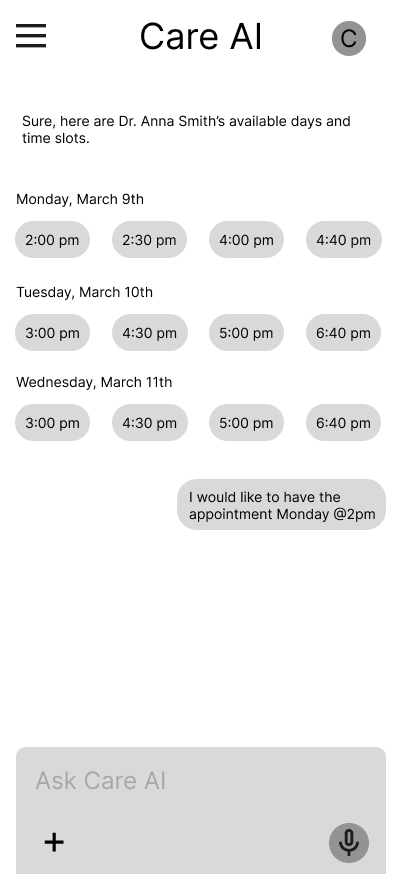
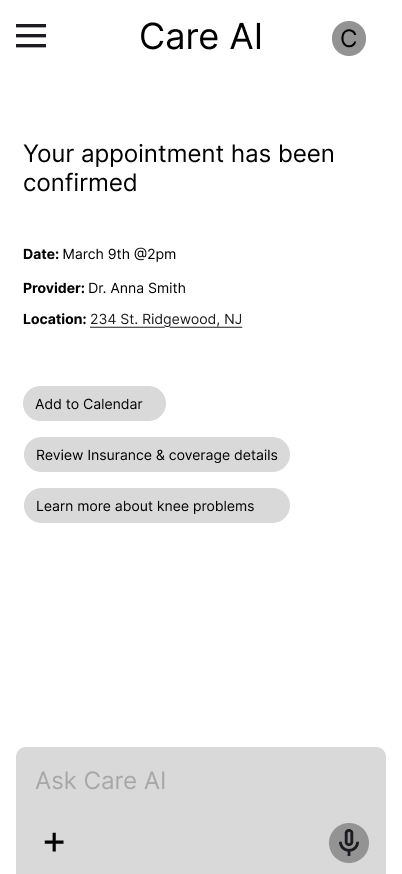
03 — Closing the loop with booking
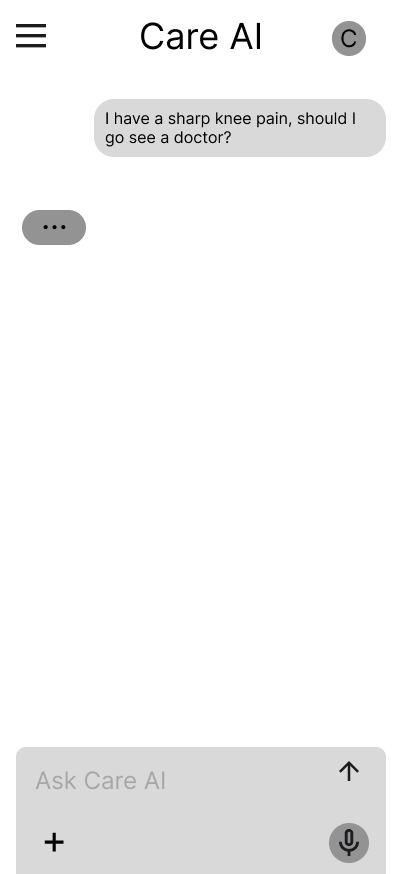
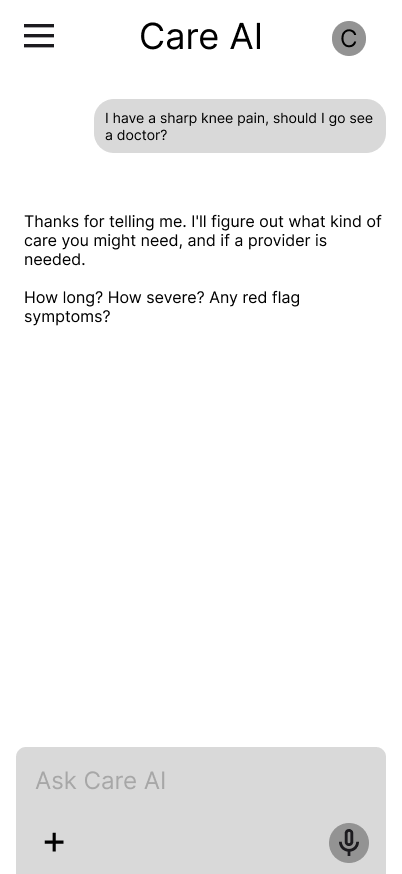
I designed the entry experience around natural-language symptom input rather than requiring users to know which type of provider to search for.
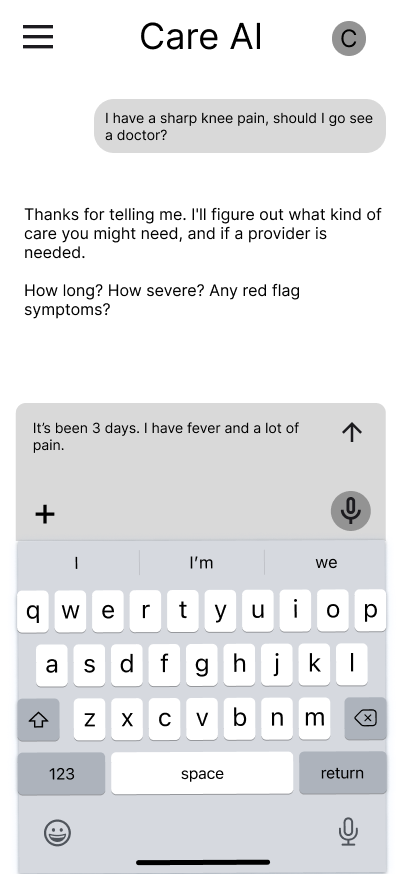
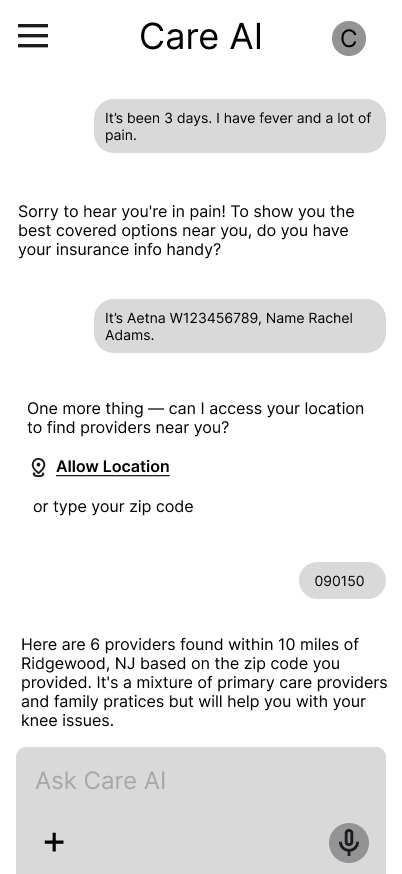
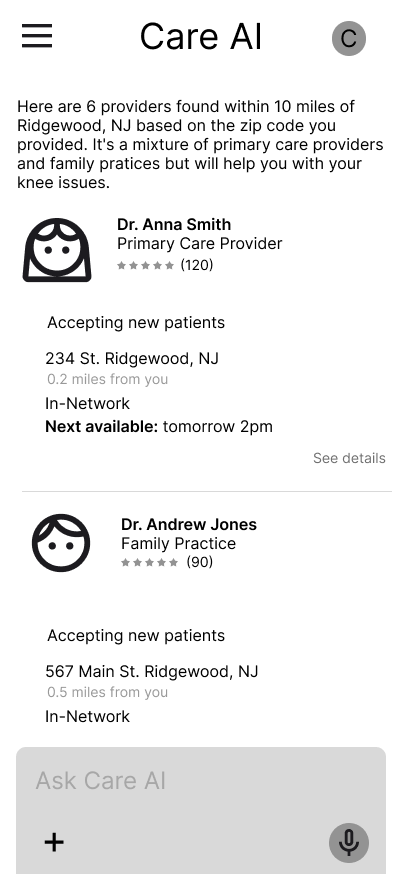
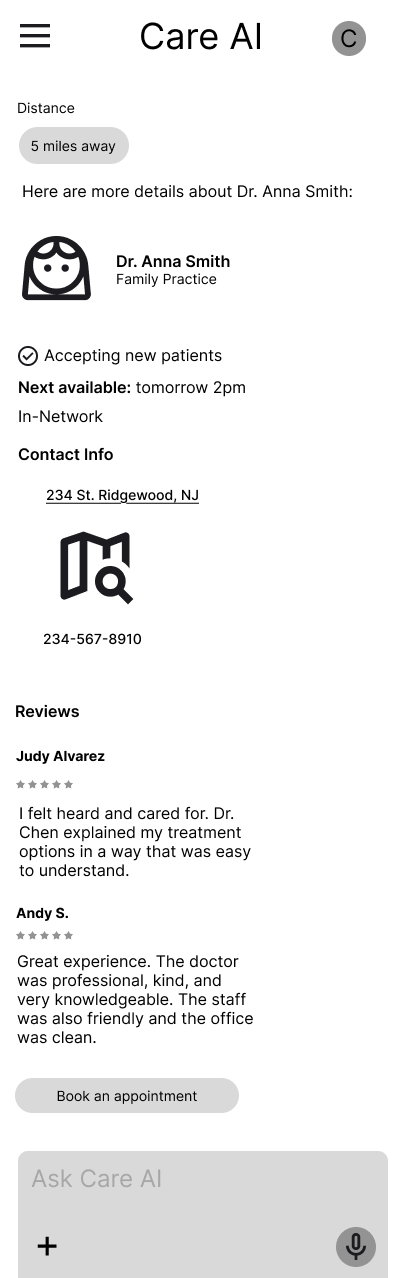
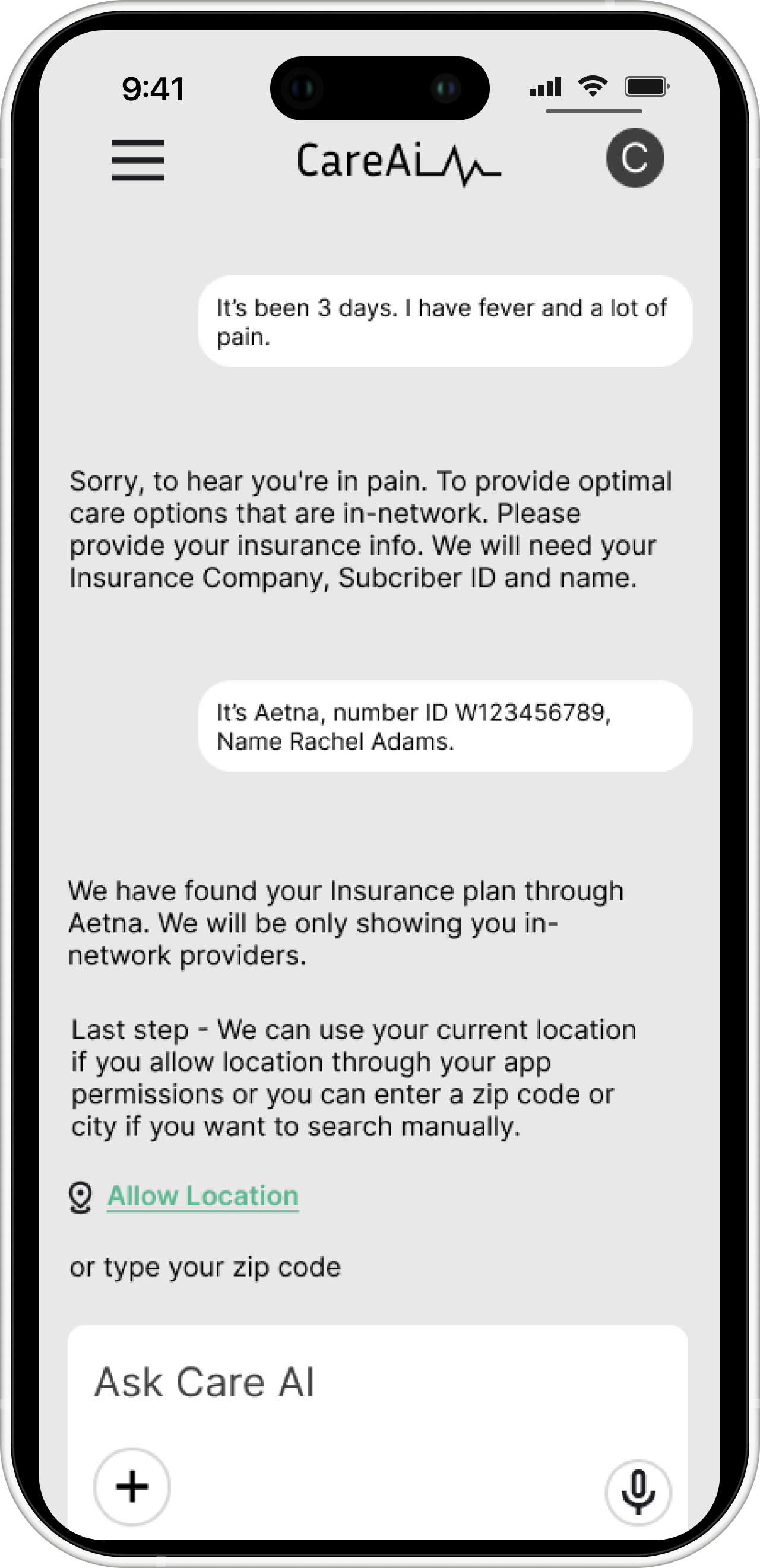
The flow gradually collects the information needed to surface relevant, in-network providers while keeping users inside one continuous experience.
I kept scheduling within the same journey so users could move from understanding their care needs to taking action without switching platforms.
What Changed Along the Way
Designing CareAI wasn't a linear process. As the experience took shape, I had to reconsider how users should enter the journey and how much the first version of the product should try to solve.
01 — From Search to Conversation
Rather than asking users to begin by searching for a specific type of provider, I shifted toward a conversational experience. This removed the assumption that users already knew what kind of care they needed and allowed them to start with what they did know—their symptoms. CareAI could then gather context and guide the next step.
02 — Narrowing the Scope
Early concepts for CareAI included several paths: helping users understand their insurance, finding healthcare locations that accepted their plan, and booking care. As the experience grew, I realized trying to solve all of these needs at once made the product too broad. I narrowed the core experience around one primary journey: helping users find an appropriate in-network provider and move toward booking.
High-Fidelity Designs
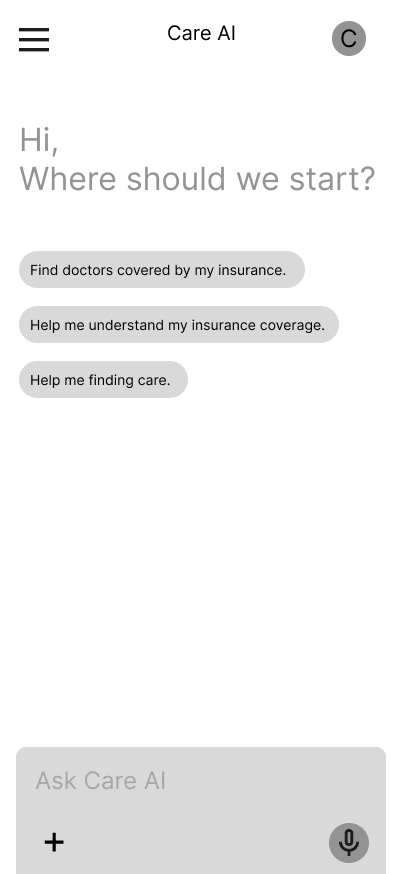
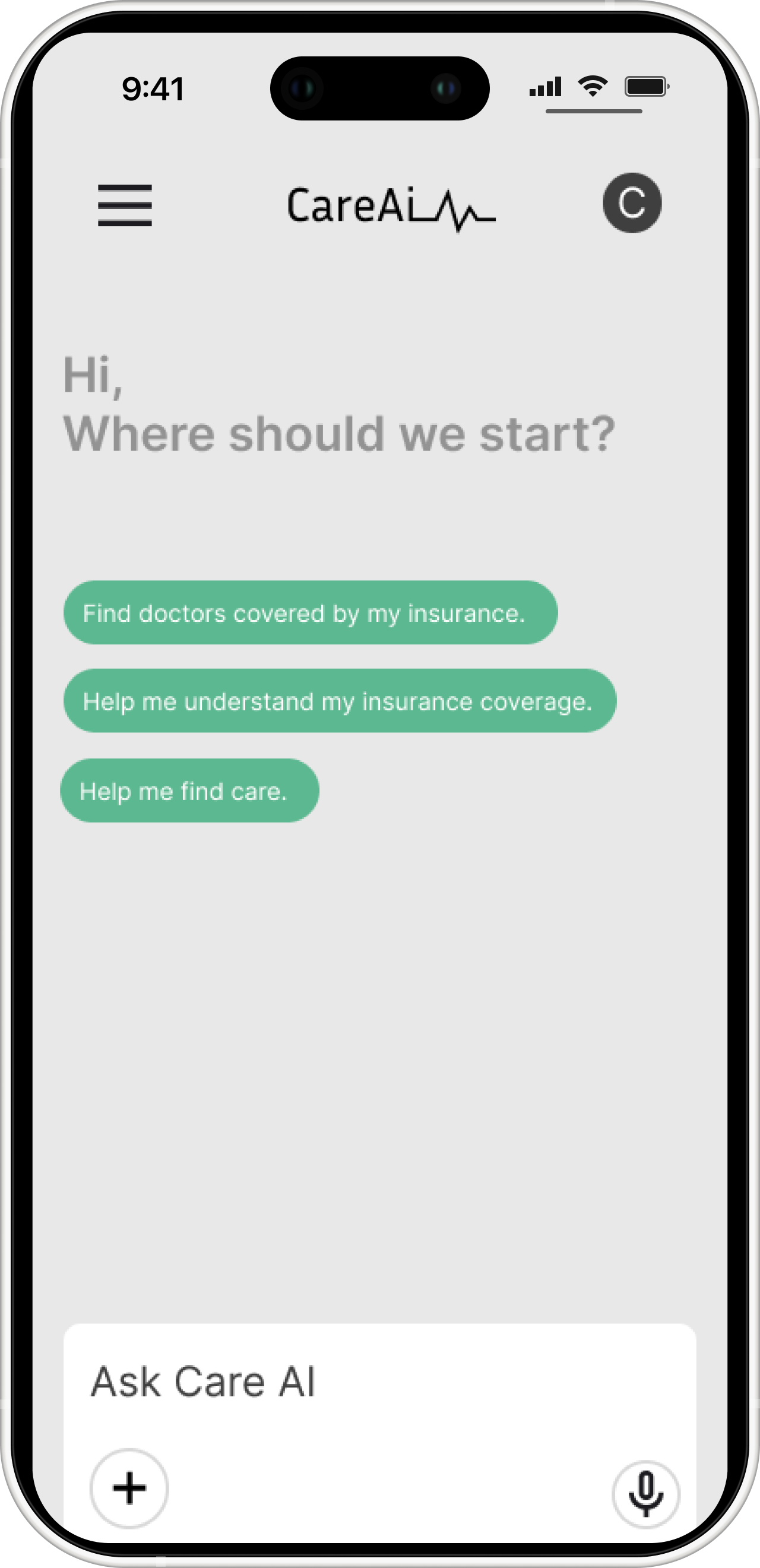
Home / Conversation Starter
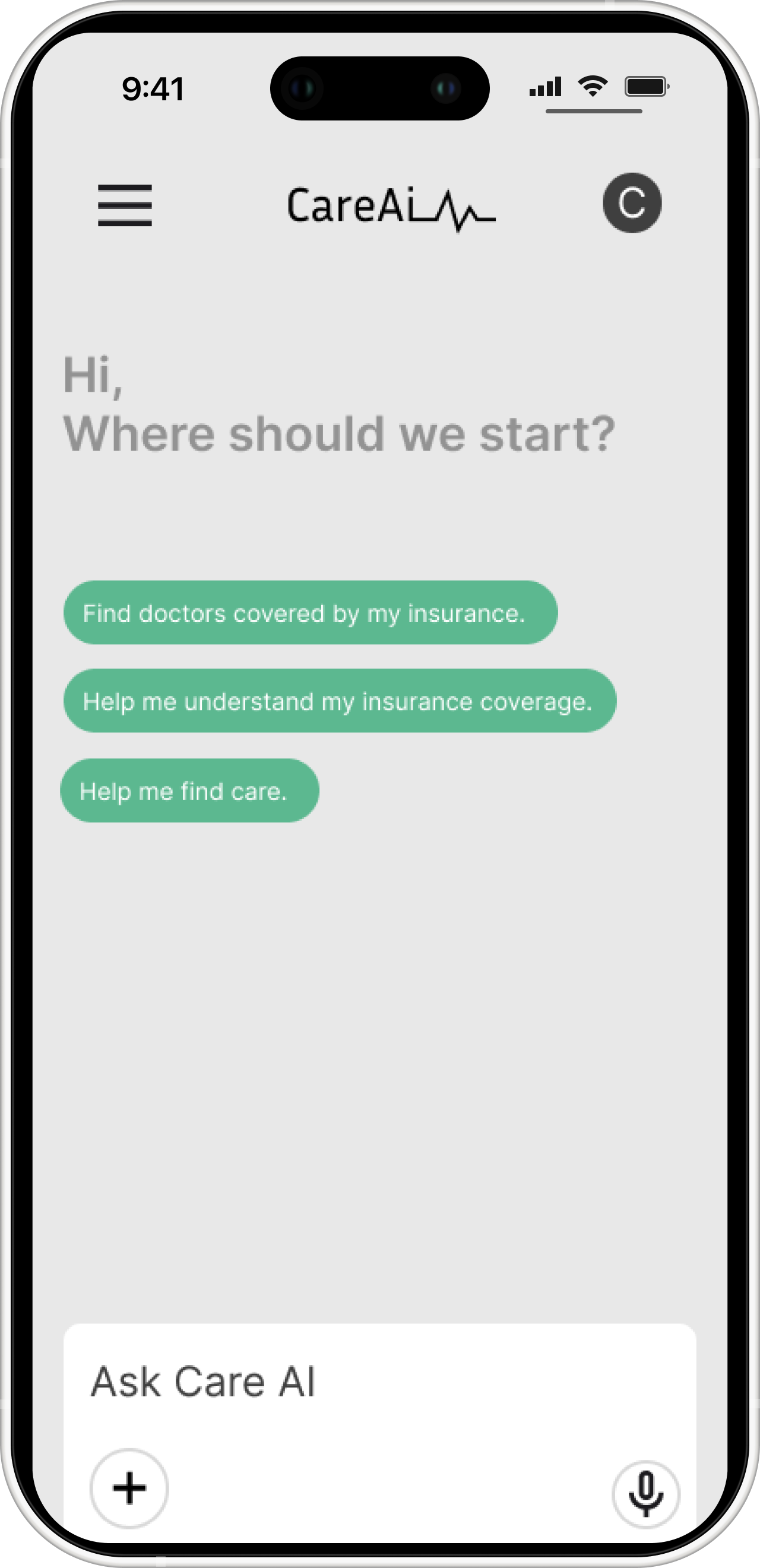
I designed the home screen to reduce the effort of starting a healthcare search. Quick-select prompts give users an immediate path based on common needs, while open text and voice input allow them to describe their situation naturally.
• Quick-select prompts for common needs
• Open text for symptom-based questions
• Voice input for added accessibility
Symptom Input & AI Guidance
Finding the Right Provider
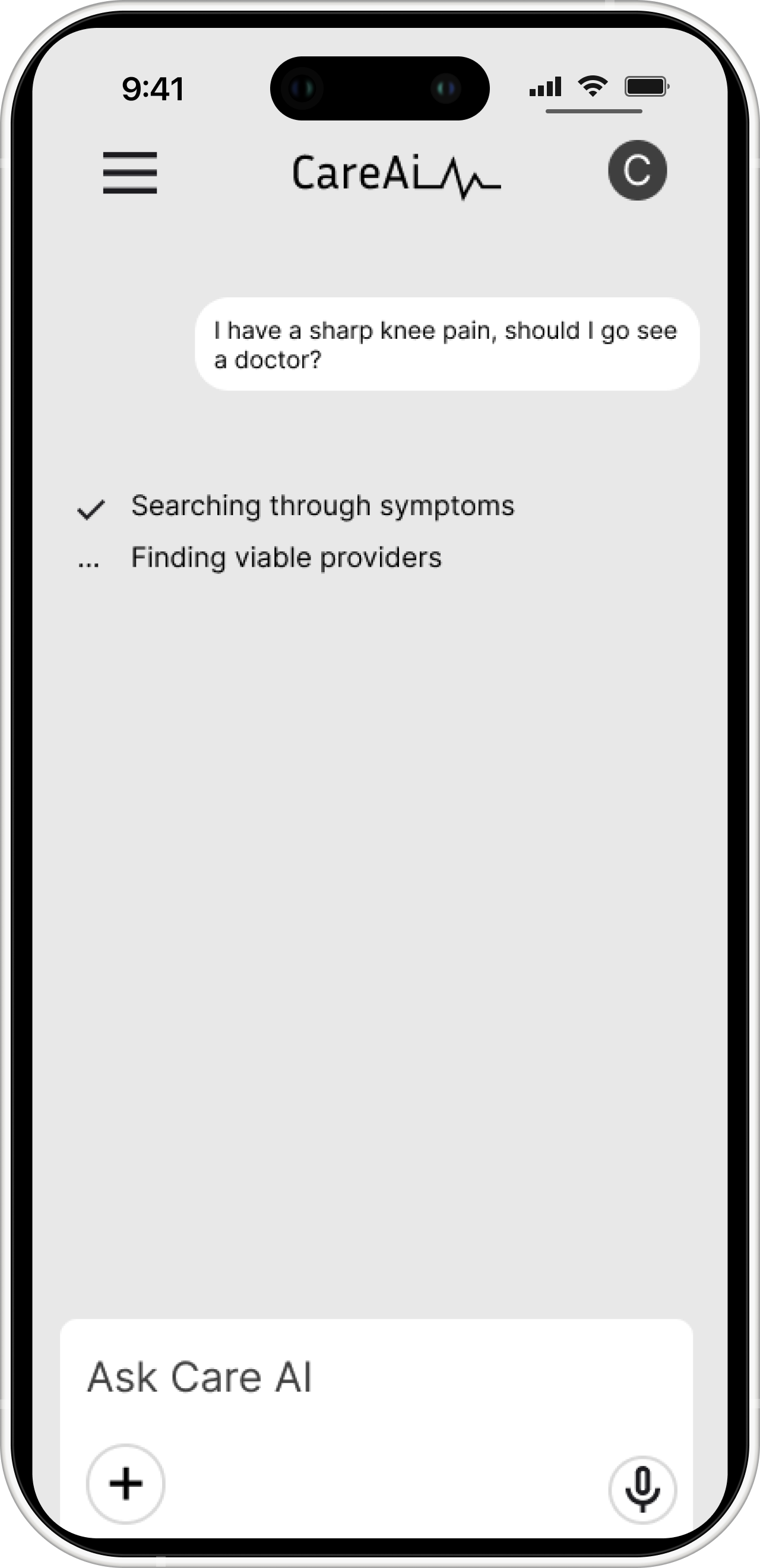
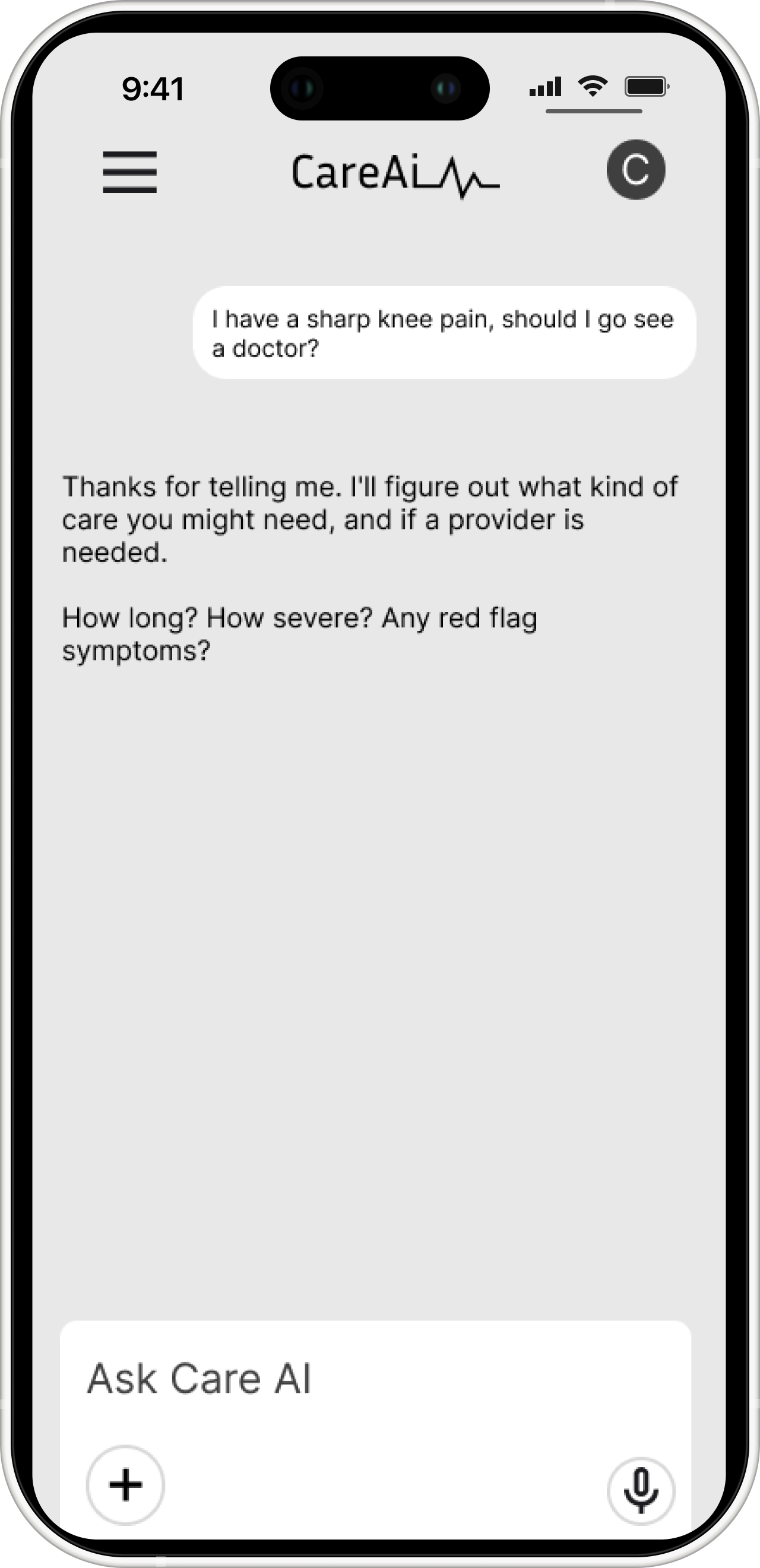
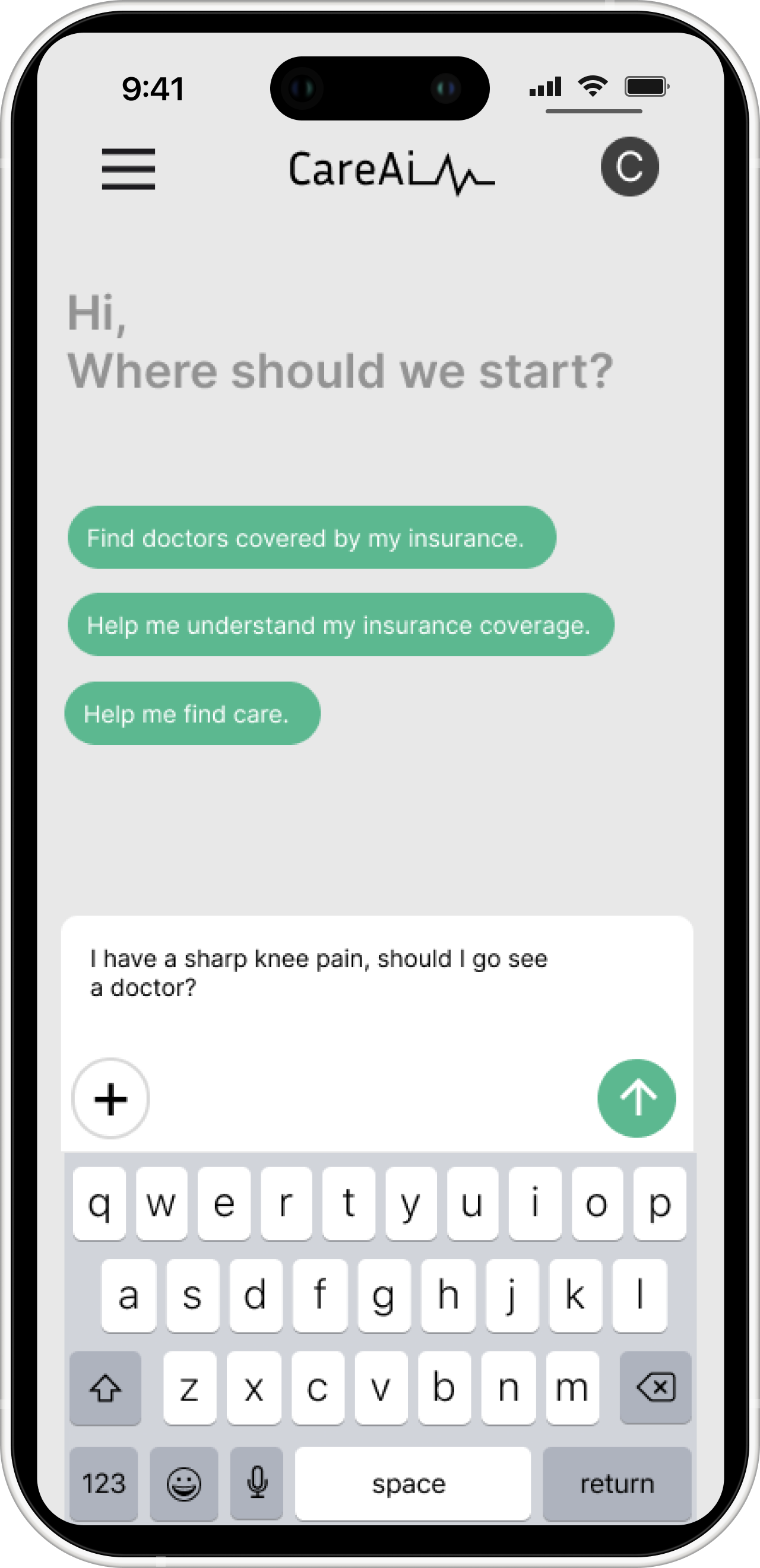
Users can describe what they’re experiencing in their own words without needing to know which type of provider to search for. CareAI then asks targeted follow-up questions to gather context before recommending care, keeping the experience conversational instead of relying on a traditional medical form.
Booking & Confirmation
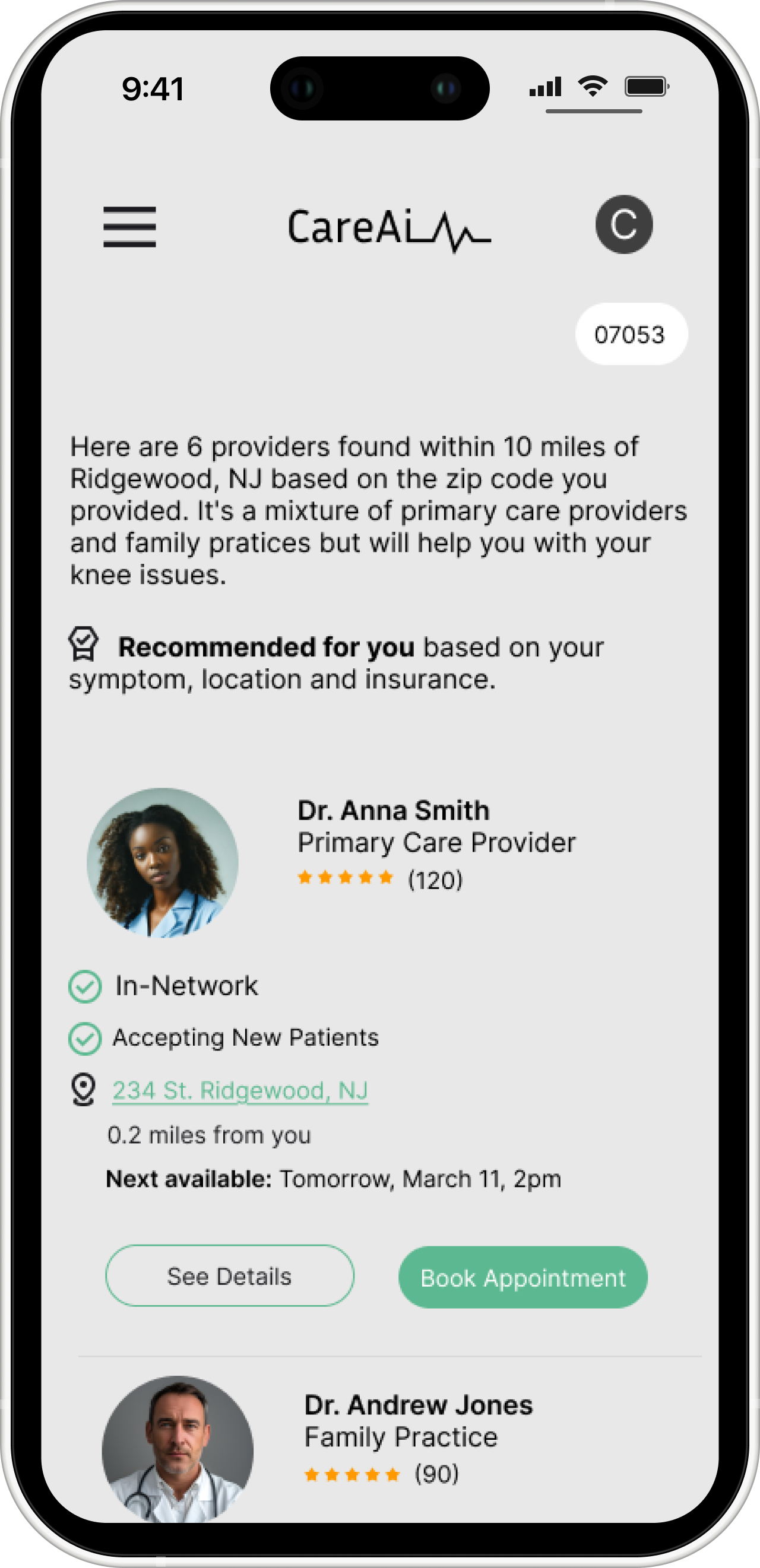
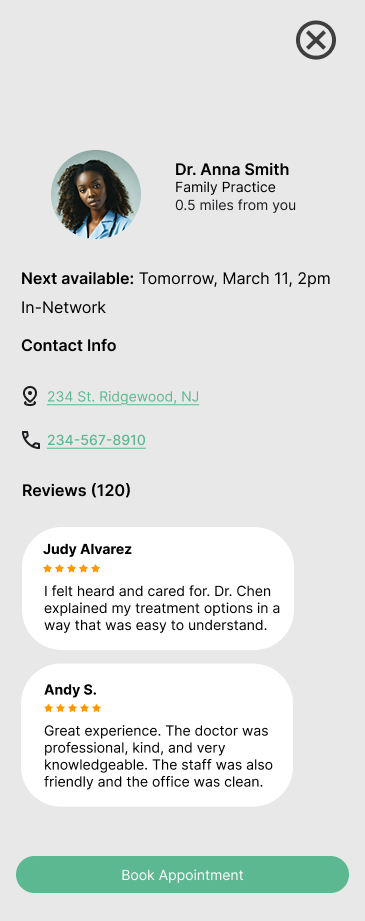
CareAI narrows recommendations using the user’s insurance, location, and care needs, helping reduce the uncertainty of finding the right provider. Results surface key decision-making information upfront—including in-network status, availability, distance, and reviews—so users can compare options and move forward with greater confidence.
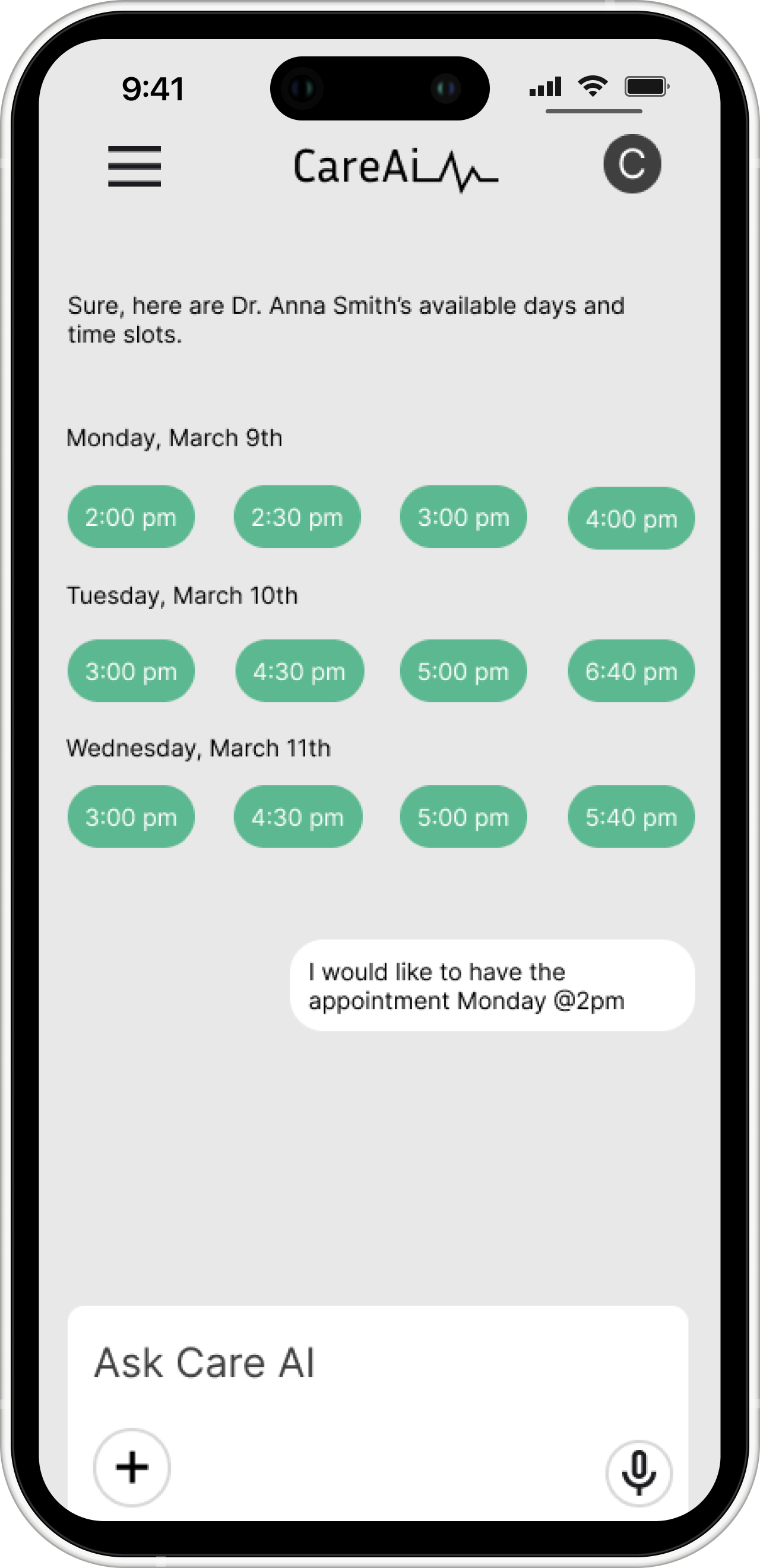
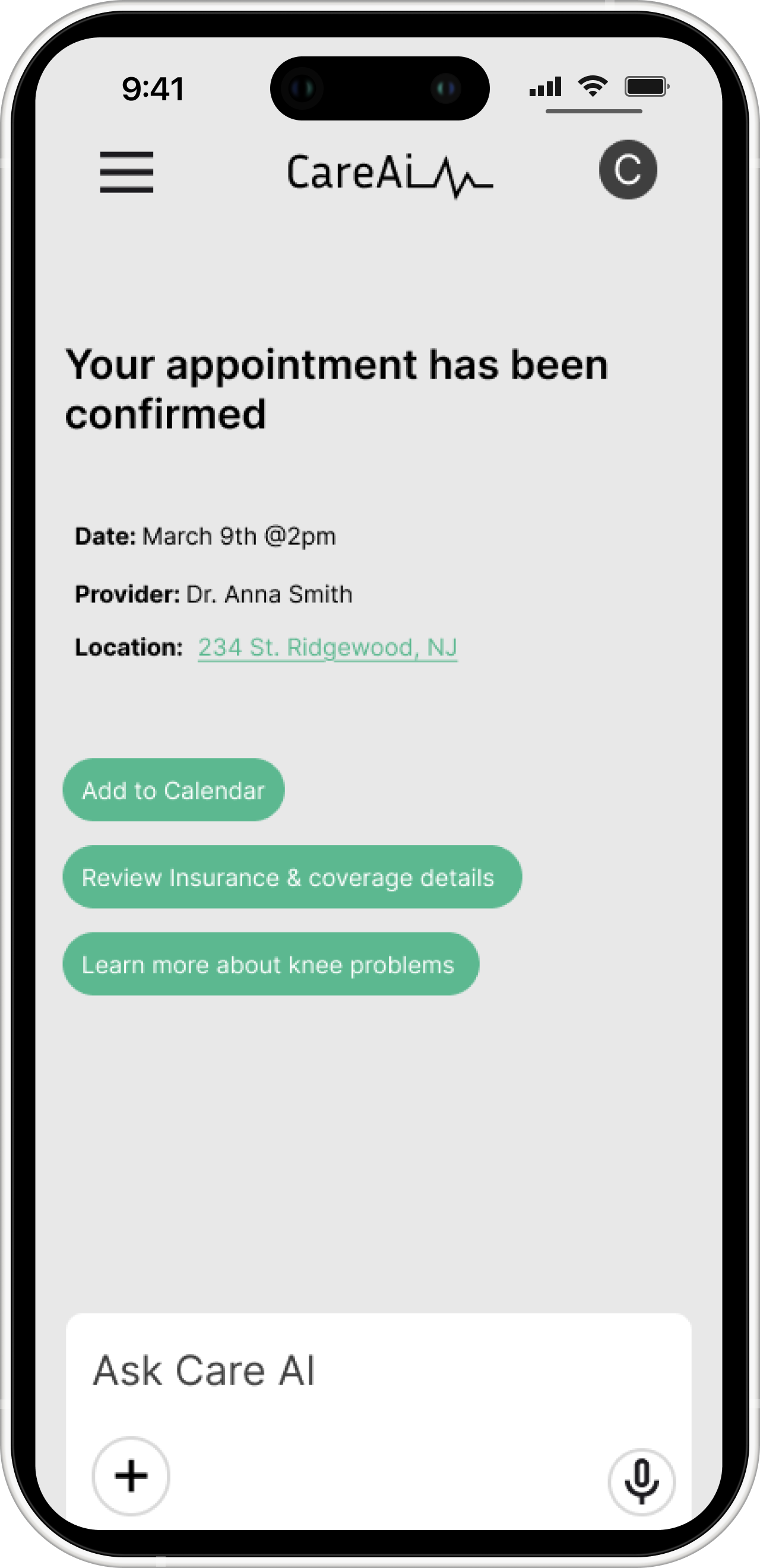
I kept scheduling within the CareAI experience so users could move directly from choosing a provider to taking action. Available time slots were designed to be easy to scan, followed by a clear confirmation that reinforces appointment details and provides useful next steps.
Usability Testing Results
I conducted usability testing with five participants to evaluate the CareAI prototype. The goal was to observe how easily users could complete key tasks such as entering symptoms, receiving AI-generated provider recommendations, and booking an appointment while assessing the clarity and trustworthiness of the overall experience.
Key Learnings
01 — Symptom-first felt intuitive
Participants could describe their needs naturally without knowing which type of provider to search for.
02 — Conversation hierarchy needed refinement
Differences between user and AI message styling made the dialogue feel visually unbalanced.
03 — Reassurance supported decisions
Clear insurance, provider, and recommendation information helped users feel more confident moving toward booking.
Iteration-Conversational Hierarchy
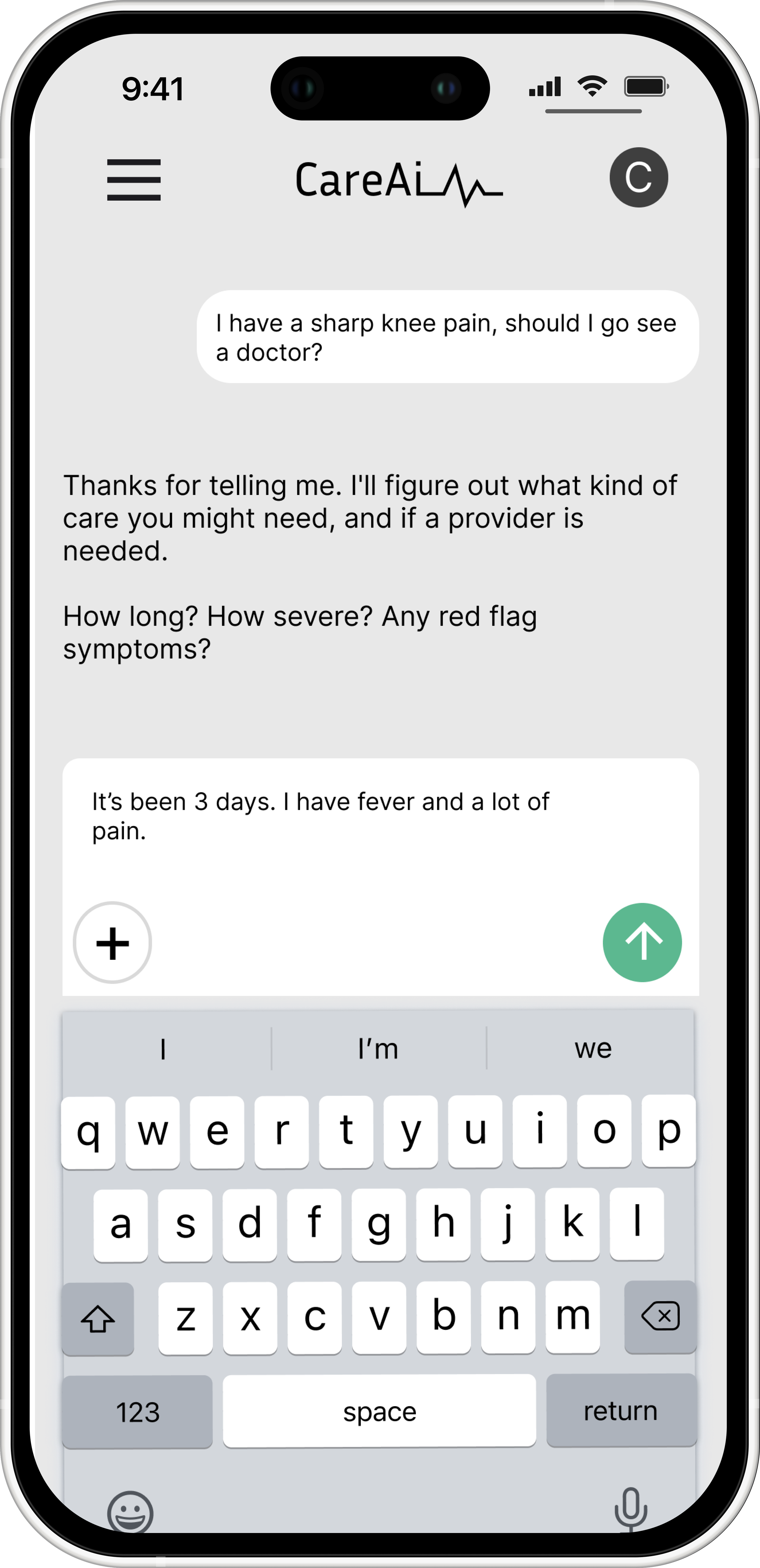
"Why does the AI's text look bigger than mine?"
During usability testing, one participant noticed that their messages appeared visually smaller than the AI responses, making the conversation feel unbalanced. I adjusted the message hierarchy to give user and AI responses more equal visual weight and make the interaction feel more conversational.
Before
After
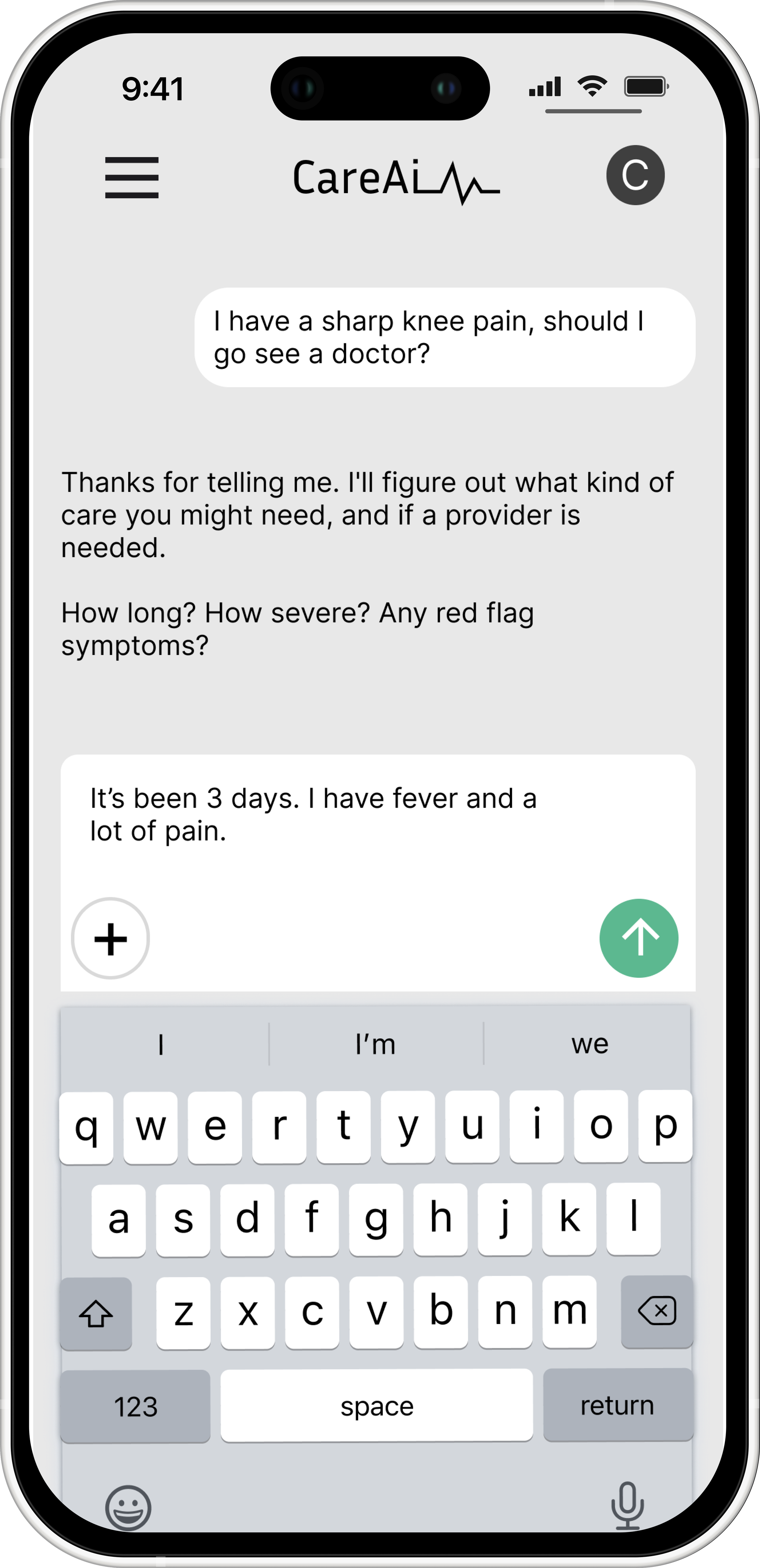
Design change: Increased the visual weight of user messages to create a more balanced, two-way conversation.
If I had more time…
01 — Deeper personalization
Build recommendation logic around user history, preferences, and past appointments.
02 — Cost & insurance transparency
Surface estimated costs and coverage earlier to reduce uncertainty before booking.
03 — Accessibility improvements
Continue testing and refining the experience for different abilities and levels of health literacy.
Conclusion
CareAI taught me that designing for healthcare is as much about building trust as it is about simplifying a task. Throughout the project, I learned to balance AI guidance with transparency, give users enough context to make confident decisions, and treat small interaction details as part of the overall experience.
The final concept connects symptom-based guidance, insurance-aware provider discovery, and booking in one flow. More importantly, testing showed me where the experience still needed refinement — reinforcing the value of iteration over assuming the first solution is the right one.